How I replicate production UI in a design prototype
 hero illustration of a construction of a building
Our design team at Ramp recently heard from engineers that coded prototypes were harder to work from. A few even said they would rather have Figma files again.
After some digging, it turned out the root issue was prototype fidelity.
Too many designers were trying to communicate ideas from a franken-prototype: it clicks through and looks high fidelity, but the components are slightly wrong and the UI is this alternate universe version of your app.
The challenge with designing in code is getting started. In Figma, you might just screenshot the existing page and quickly design something on top of it or work from an existing file.
Recreating that starting point in code takes work.
After several rounds of experimentation, I landed on a solution that is quite good at one-shotting a production UI.
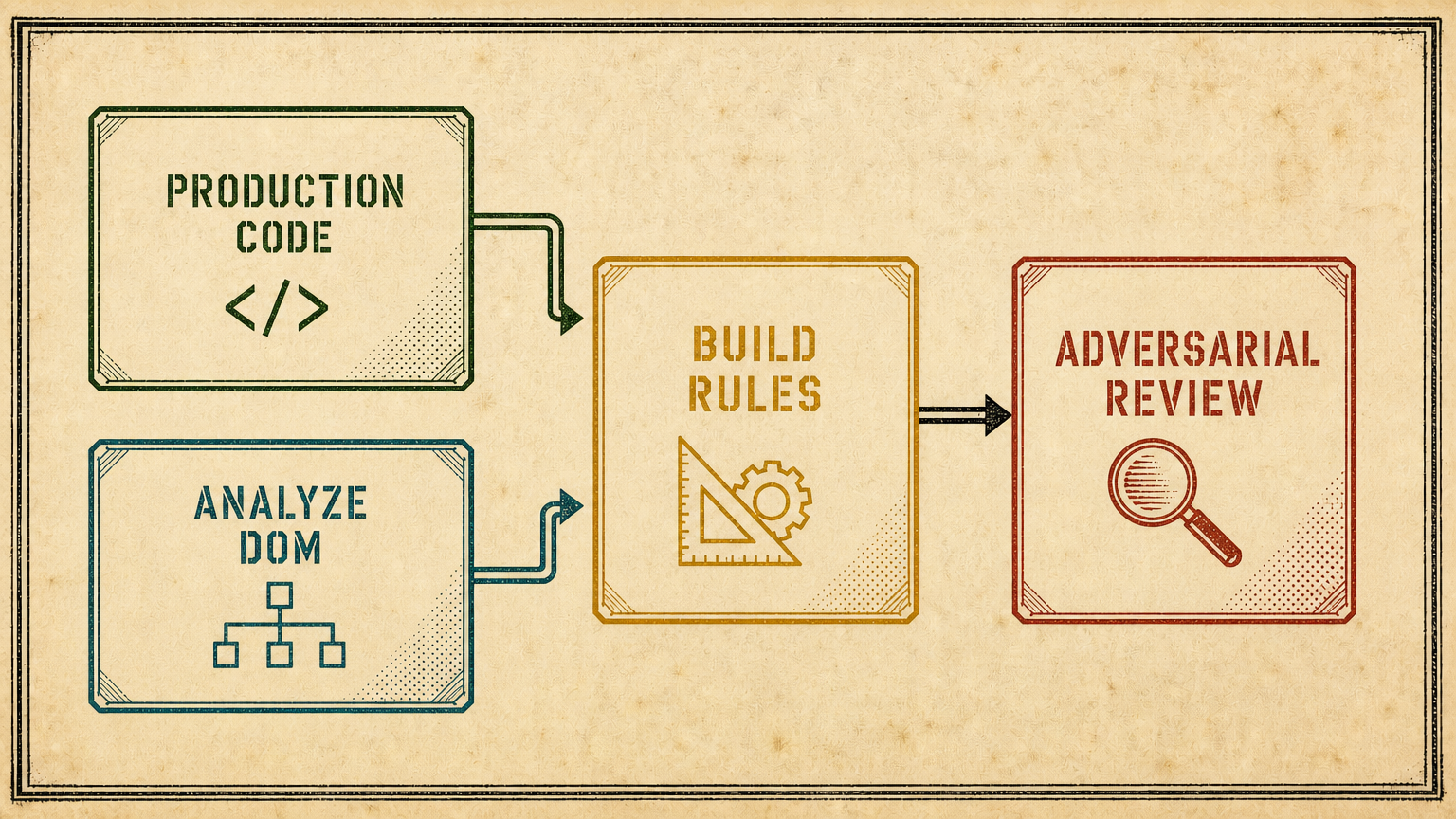 Diagram of the workflow for one-shotting UI in prototype
1. Give the agent access to production source
Clone your production repo to your machine. Make sure to pull the latest version at the start of the workflow. Give it a url in your app - it can figure out how to find the relevant code.
This lets your agent see the actual code powering the ui instead of guessing from a screenshot.
2. Let the agent inspect the live app in a browser
The agent opens the production app to inspect the rendered DOM. If you need authentication - have it open a headed browser so you can authenticate. I love agent-browser for all this.
This was a huge step up in fidelity. The agent could now see how everything actually renders - not guess from the logic code. 70% of the annoying quirks got fixed when I did this.
3. Define your implementation rules
This is the part you need to decide for yourself.
Is using the design system a hard requirement? Should the agent be allowed to build custom components? When you're designing something new, how much freedom should it have? When should it stop and ask you?
Those rules need to be part of the system.
My biggest problem was stopping the agent from creating custom components when a real component already existed. It took several rounds of iteration to find the right incantation, while still leaving room for exploration when I'm intentionally designing something new.
4. Run an adversarial review
After it's done building, I have the agent run a Claude or Codex adversarial review - basically using another model to verify the first model's work.
This was another huge unlock because models are good at complementing their own work. Another model will challenge assumptions and find where things break.
These 4 steps have made it so I can one shot a production ui to start working in a matter of minutes. It mostly runs unattended.
Steal this approach
Point this agent at this article and ask it to import a UI in your app. See how it works and fix the issues that come up. When you’re done, ask your agent to turn it into a skill.
Let me know how this works for you!